Skip to content
mv99 App / Sports
LIVE LOBBY

mv99 — Live Casino, Slots and Sports in One Place

Slots from JDB and CQ9, live dealer tables, cricket betting and crash games — all accessible from your mobile browser the moment your account is open. Fund with bKash in a few taps; your wallet balance reflects straight away so you can move into the lobby without delay.

bKash Nagad Rocket
Browse games
CONTENT / 01

From Crash Rush to Bangladesh Live Room 507

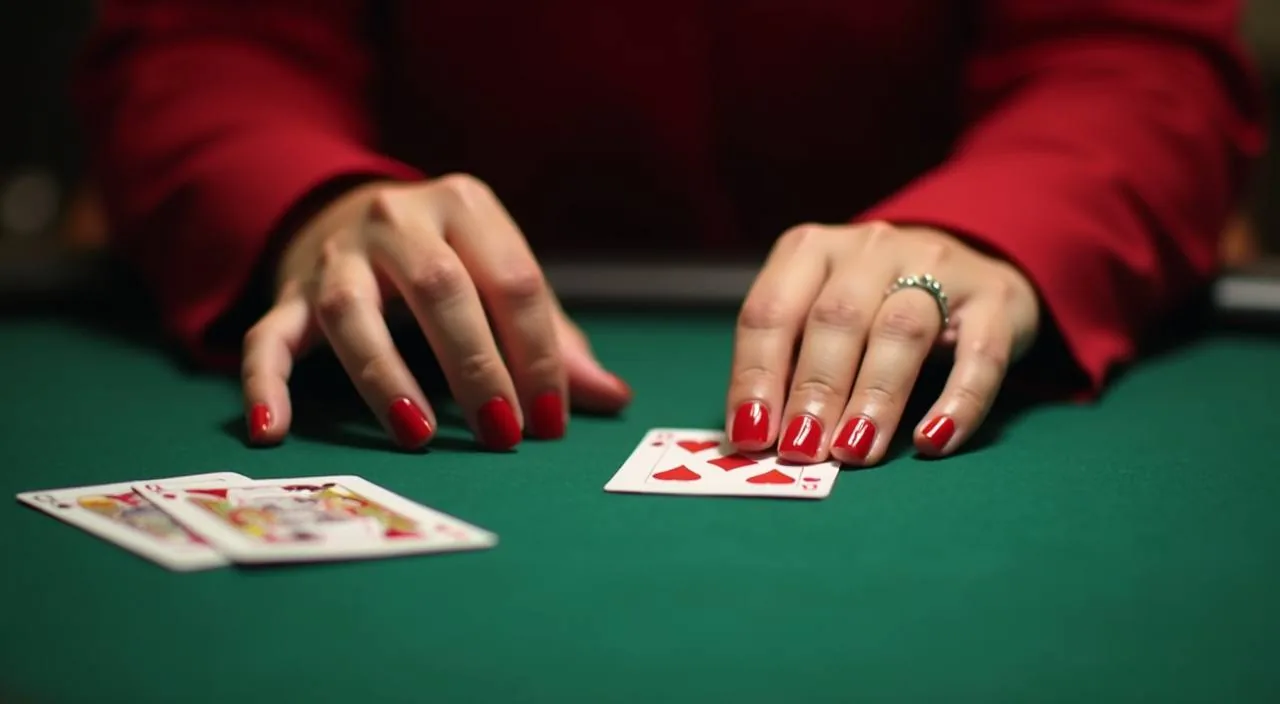
The mv99 catalogue covers a range of formats that suit different play styles. Crash Rush is a fast-read game where the result comes within seconds — the multiplier climbs and you decide when to collect. Bangladesh Live Room 507 puts you at a live dealer table streamed in real time, with card dealing you can follow as it happens.

  • Crash Rush

    A fast-result crash format where a multiplier rises and you choose your own exit point. Each round is short, the result is immediate, and the game history is visible below the main screen so you can review recent rounds before placing your next stake.

  • Bangladesh Live Room 507

    A live dealer room with real-time card dealing visible on screen. The table is formatted for mobile and desktop, with bet controls along the bottom of the screen. Chat is available during the session if you want to interact with the dealer.

  • King Cricket Live

    A cricket-themed slot title with mechanics built around the format that Bangladesh players follow closely. Gameplay are triggered through the base game; details on feature conditions are shown in the game's own info panel rather than described here.

DISCOVER / 01

Choose your game

Full lobby
CONTENT / 02

Browse Casino, Slots and Live Tables

The mv99 lobby is organised by category so you can move directly to what you want — slots, live casino tables, crash games or sports betting. Cricket is front and centre for Bangladesh, sitting alongside card rooms and slot rooms from our studio partners. Game cards are loaded in a horizontal discovery rail so you can scroll through titles without leaving the section.

GAME NETWORK
JDB
CQ9
Bigtime Gaming
Spadegaming
Habanero
CONTENT / 04

mv99 lobby studios

The mv99 lobby carries content from JDB, CQ9, Bigtime Gaming, Spadegaming, Habanero. To check the studio, rules or features of one specific game, open that game card or the published information panel.

  • JDB

  • CQ9

  • Bigtime Gaming

  • Spadegaming

  • Habanero

LOCAL PAYMENTS

Switch Between bKash, Upay and Bank Transfer

Your primary deposit path at mv99 is bKash. Open the deposit screen in your account, choose bKash, enter the amount and follow the send-money steps shown — the reference number the screen provides is what links your transfer to your wallet. If bKash is not the right fit at the time, Upay follows the same tap-and-confirm flow and draws from a different mobile wallet.

  • bKash

    bKash is the primary deposit route at mv99. Open the deposit screen, select bKash, confirm the amount and complete the send-money step using the reference shown on screen. Your wallet balance updates once the transfer clears on the bKash side. Minimum and maximum amounts are displayed at the point of selection so you know the range before you confirm.

  • Upay

    Upay gives you a second mobile wallet option when you want to keep your bKash balance separate. The deposit steps follow the same pattern — select Upay, enter the amount, send using the on-screen reference. Withdrawal back to Upay is available from the cashier section of your account once your balance qualifies under the displayed conditions.

  • Bank Transfer

    Bank Transfer suits deposits and withdrawals when you prefer a direct bank-to-account move rather than a mobile wallet step. Select Bank Transfer in the cashier, note the account details provided, and initiate the transfer from your bank. Processing follows your bank's own schedule; the status appears in your transaction history once confirmed at our end.

Banking
ACCOUNT PATH

Open an Account and Start Your First Deposit

Getting from the homepage to a funded account is a short path. First, open the account registration page and fill in the fields shown — your mobile number, a password and the basic identity details required. Once the account is created, go to the cashier section and select your preferred deposit method: bKash, Upay or Bank Transfer.

  1. Register your account

    Open the registration page and complete the required fields — mobile number, password and identity details. Follow the verification step shown on screen.

  2. Choose a deposit method

    Go to the cashier in your account. Select bKash, Upay or Bank Transfer. The screen shows limits and instructions specific to the method you pick.

  3. Complete your transfer

    Use the reference number shown to complete the transfer on the payment app or bank side. Your wallet balance updates once the payment clears.

  4. Open the lobby

    With a funded balance, head to the game lobby. Browse by category — slots, live casino, crash games or sports — and open the title you want.

MEMBER DESK / 06

Offers, support and account controls

01

Game lobby

02

Payment guide

03

Support

ACCOUNT DESK

Account information

Review current account information after signing in.

Login
FEATURE BRIEF / 05

Follow Cricket Betting Through the Sportsbook Section

Cricket is the sports category that draws the most attention from Bangladesh, and the mv99 sportsbook is structured with that in mind. IPL, BPL and international cricket matches are available as betting markets when those events are scheduled and the markets are open. You navigate to the sportsbook from the main lobby menu — it sits alongside the casino and slots tabs so you can switch without reloading.

Game feature guide
  • Cricket Markets

    IPL, BPL and international cricket markets are available in the sportsbook when events are live or upcoming. Market types and odds are shown inside the sportsbook section; we do not publish them on the homepage as they update continuously.

  • Football Goalrush

    Football Goalrush is a sports-format game in the casino lobby — a faster-result alternative to full sportsbook navigation. It sits in the game catalogue under sports games and is accessible from the main lobby filter.

  • Same Balance

    Your account wallet covers both sports bets and casino games. There is no need to split funds across two sections — the balance shown at the top of the screen is what you work with across the entire platform.

ACCOUNT HELP ROUTES

Reach Support Through Your Account or Live Chat

When something with your account needs attention — a deposit that has not reflected, a withdrawal query or a question about account verification — the support routes are accessible without leaving the site.

  • Live Chat

    Open live chat from the icon at the bottom of any page. You do not need to be signed in to start a session. Have your account number or registered mobile number to hand if your question relates to a specific transaction or account action — it helps the agent locate your record faster.

  • Help Centre

    The help centre inside your signed-in account answers the most common questions about deposits, withdrawals, account verification and wallet balances. It is the fastest way to resolve a standard payment query because the answers are already there — no wait time, no queue.

  • Ticket Support

    For account disputes, unresolved transaction issues or access problems, raise a support ticket from the account menu. A ticket creates a reference number that both you and the support team can track. Use this route when you need a written record of the exchange.

MV99
Mobile casino lobby
Popular Live Slots
King Cricket Live Blackjack Card Room Privacy Guide Bangladesh
MOBILE LOBBY

Built for phones, clear on desktop

Cards, tables, FAQ and policy pages stay easy to read on smaller screens.

  • Quick categories
  • Mobile first
  • Access
App
CONTENT / 03

Open mv99 from Any Mobile Browser

There is no separate app download required to play on mobile. The mv99 site is built to load in your phone's browser — Chrome, Safari or the browser built into your device — at the same address you use on desktop.

  • No Download Needed

    Load mv99 in any mobile browser and the full lobby is available immediately. There is no app file to install and no version to update manually. The browser version stays current automatically whenever we push an update to the site.

  • bKash on Mobile

    The bKash deposit flow is designed for mobile — you move from the mv99 deposit screen to the bKash app with the reference number ready to paste. Once the bKash send-money step is done, return to mv99 and your wallet balance reflects the deposit on confirmation.

  • Home Screen Shortcut

    Bookmark mv99 through your browser's share or add-to-home-screen option. The shortcut opens the site directly from your home screen without typing the address — useful if you return regularly to check the lobby or review your transaction history.

TRUST / 03

Your Account Settings and Control Options

Account controls at mv99 are accessible from the account settings menu once you are signed in. You can review your transaction history, see your current wallet balance broken down by deposit and withdrawal, and update your contact details from the same menu.

  • Transaction History

    Every deposit and withdrawal is logged in your transaction history with a timestamp and status. You can access this from the account menu at any time — signed in, on mobile or desktop. If a payment shows an unexpected status, this is the first place to check before contacting support.

  • Account Verification

    Verification steps are shown inside the account area when they are required. The fields and documents needed are listed there; follow the instructions shown on screen. Verified accounts have access to the full range of cashier functions including withdrawal submission.

  • Region and Access

    Access to games, sports markets and payment options depends on your local law and the eligible regions your account falls under. If a section of the platform is unavailable for your account, the reason is shown at the point of access rather than in general homepage copy.

  • Contact and Settings

    Your registered mobile number, email and notification preferences are editable from the account settings page. Keeping your contact details current is important if you need account recovery or if support needs to reach you about a transaction query.

Learn more →
PLAYER INDEX / 07

Common Questions About Deposits and Withdrawals

These questions cover the payment routes configured at mv99 — bKash, Upay and Bank Transfer — and the steps involved in moving money in and out of your account wallet. If your question is not listed here, the help centre inside your signed-in account has more detailed articles, and live chat is open for account-specific queries.

Player guide and glossary
  • How do I deposit using bKash at mv99?

    Go to the cashier section of your account and select bKash as your deposit method. The screen shows the amount fields and a reference number. Open your bKash app, go to Send Money, enter the account number shown and paste the reference into the reference field.

  • Can I use Upay instead of bKash to deposit?

    Yes. Upay is available as an alternative deposit route in the cashier. The steps follow the same pattern as bKash — select Upay, note the reference number shown, and complete the send-money action inside your Upay app. Upay and bKash operate as separate wallet routes; using one does not affect the other. If you want to withdraw later through Upay, select it in the withdrawal section and follow the instructions shown.

  • How long does a Bank Transfer deposit take to show in my account?

    Bank Transfer timing follows your bank's own processing schedule, which we cannot control or predict from our side. After you initiate the transfer from your bank, the deposit status in your mv99 transaction history updates once the funds clear at our end.

  • What should I check if my deposit is not showing in my wallet?

    First, open your transaction history in the account menu and look for the deposit entry. It will show the status — pending, confirmed or failed. If the status shows pending, the payment may still be processing on the payment side.

  • Is there a minimum deposit amount for bKash or Upay?

    Minimum deposit amounts are shown on the deposit screen after you select bKash or Upay — not on the homepage, because these figures can be updated. Select your method in the cashier and the screen will display the current minimum and maximum before you enter an amount. Do not attempt a transfer before checking these figures, as transfers below the minimum may not credit to your wallet automatically.

  • How do I withdraw my balance back to bKash?

    Go to the cashier in your account and select the withdrawal option. Choose bKash as the destination, enter the amount you want to withdraw and input the bKash mobile number registered to your wallet. Submit the request. The status appears in your transaction history once the request is submitted and updates again when it is processed.

  • Can I switch between payment methods for different transactions?

    Yes. Each deposit and withdrawal is a separate transaction and you can choose a different method each time, subject to the conditions shown on the cashier screen for each method.

Full glossary
LOBBY / 02

One mobile lobby, distinct game areas

King Cricket Live Sports King Cricket Live Access → Blackjack Card Room Live Blackjack Card Room Access → Privacy Guide Bangladesh Slots Privacy Guide Bangladesh Access → Football Goalrush Sports Football Goalrush Access → Crash Rush Slots Crash Rush Access → Bangladesh Live Room 507 Slots Bangladesh Live Room 507 Access →
EXPLORE FURTHER / 04

Explore detailed guides

Local lobby check

QUICK ANSWERS

Frequently asked questions

These questions cover the game lobby, account setup, studio catalogue and access conditions at mv99. For payment-specific questions, see the payment section above. For anything not covered here, use live chat or the help centre inside your account.

Read FAQ →
Which game studios are available in the mv99 lobby?

The mv99 lobby carries titles from five studios: JDB, CQ9, Bigtime Gaming, Spadegaming and Habanero. These studios supply slot games, live dealer tables and table game formats. You can filter by studio inside the lobby to see only titles from a specific provider. We do not carry studios outside this list, so any title you see in the lobby comes from one of these five sources.

Do I need to download an app to play on mobile?

No download is needed. The full mv99 lobby — including games, the cashier, account settings and live chat — is accessible from your mobile browser at mv99. The site adjusts to your screen automatically. You can add a shortcut to your home screen through your browser's share menu so the site opens in one tap.

Is cricket betting available at mv99?

Cricket betting markets are available in the sportsbook section of the mv99 lobby. IPL, BPL and international cricket are the primary categories. You reach the sportsbook through the main lobby menu — it sits alongside casino and slots tabs.

What is Bangladesh Live Room 507?

Bangladesh Live Room 507 is a live dealer table available in the casino section of the mv99 lobby. It streams a real-time dealer and card dealing session, with betting controls visible at the bottom of the screen on both mobile and desktop. It is one of the live casino titles in the lobby alongside other table formats.

How do I create an account at mv99?

Open the account registration page from the homepage. Fill in the fields shown — your mobile number, a chosen password and the required identity details. Follow any verification step shown on screen after submission. Once your account is active, you can go straight to the cashier to fund your wallet using bKash, Upay or Bank Transfer.

Where can I see my account transaction history?

Your transaction history is in the account menu, accessible once you are signed in. It lists every deposit and withdrawal with a timestamp, the payment method used and the current status of each transaction. This is the first place to check if a deposit has not reflected or if you want to confirm a withdrawal was submitted correctly.

What do I do if I cannot access part of the platform?

If a section of the lobby — a game, a payment method or the sportsbook — shows as unavailable when you try to open it, the reason is displayed at the point of access. Access depends on your account verification status and your local law and eligible region.

Does mv99 show RTP figures for its slot games?

RTP figures are shown only where the studio that built the game exposes that data inside the game's own info panel. Not every studio publishes RTP for every title. We do not calculate, estimate or publish averaged RTP figures at the site level.

READY WHEN YOU ARE

mv99 game lobby

Access may be available only where local law permits.

Register Login